Point of sale
A fast cashier screen for busy counters, on any computer with a browser.
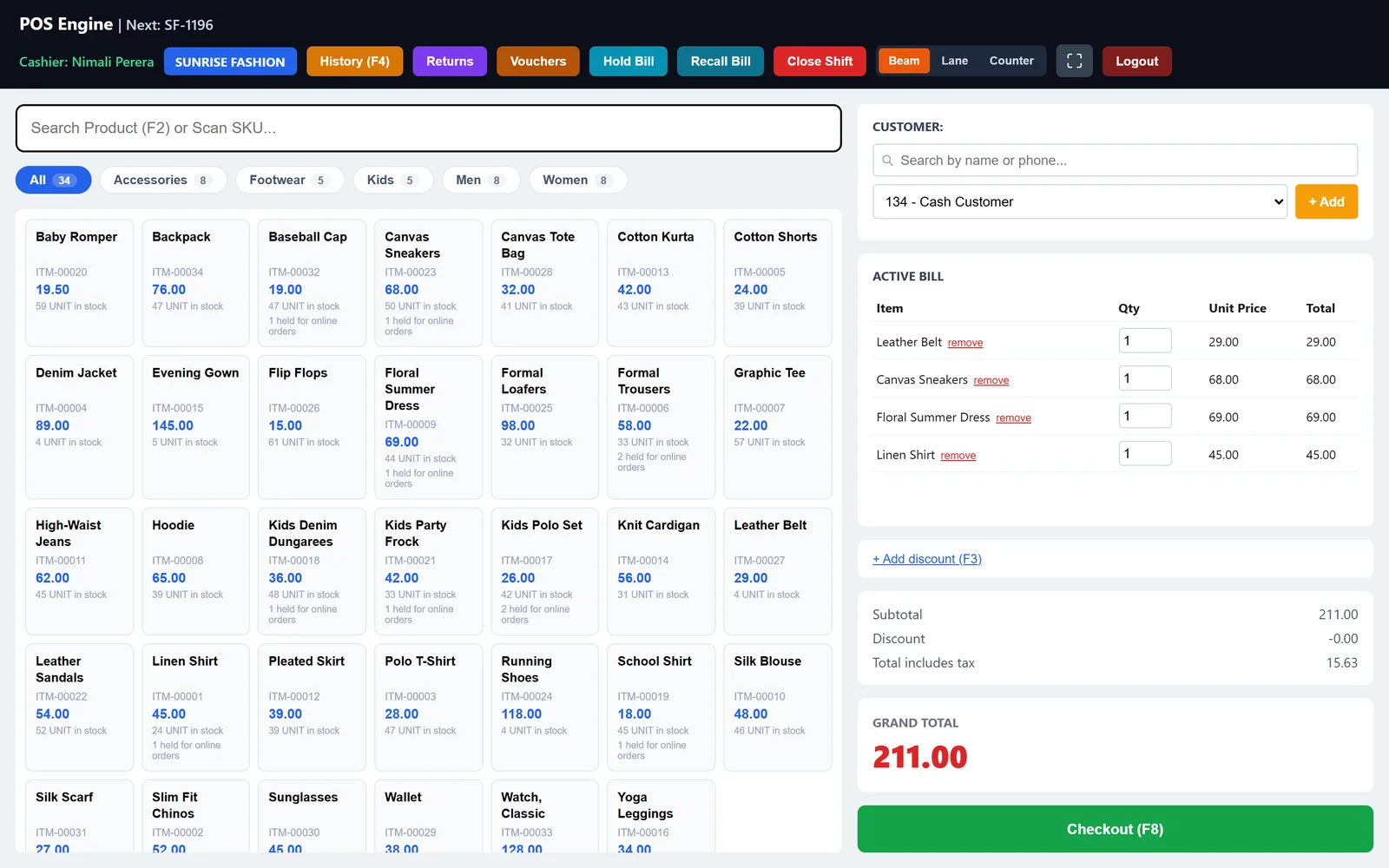
Scan or search
Barcode scanning and quick item search. The newest item punched always sits on top of the bill.
Cash, card and credit
Take split payments, sell on credit to registered customers and see their balance at the till.
Hold and resume
Park a bill while the customer fetches something, then bring it back in one tap.
Offline mode
The cashier keeps billing without internet and syncs when the connection returns.
Receipts and returns
Print receipts on thermal printers, reprint any bill and process returns and voids with a clear trail.
Shifts and cash up
Open and close cashier shifts and compare what the till should hold against what is counted.
Walk-in by default
After every sale the next bill starts with the walk-in customer, so nobody is billed by mistake.
Cost hidden from cashiers
Cashiers can be set so they never see cost prices or margins.
Inventory and purchasing
Know exactly what you have, what is moving and what to buy next.
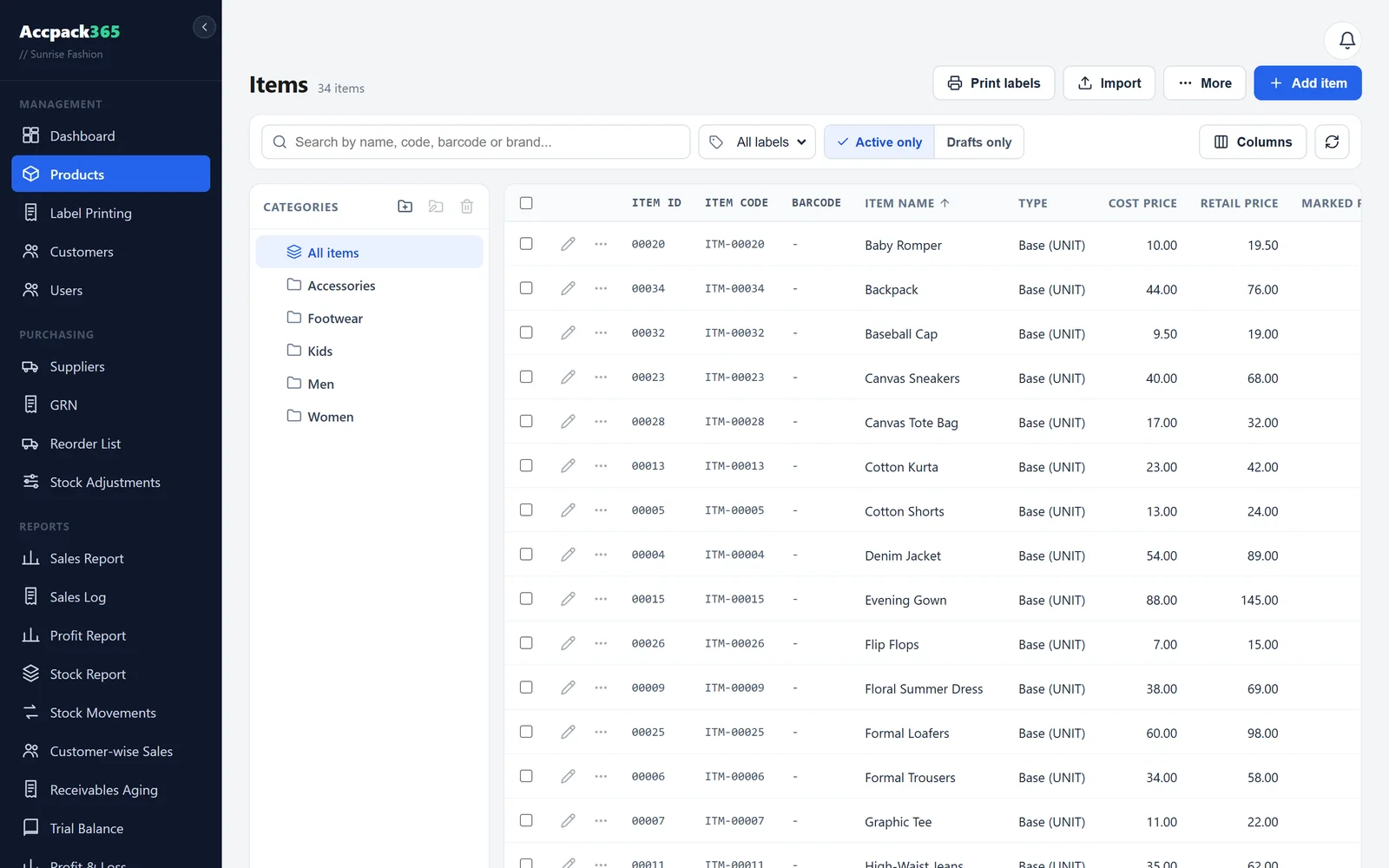
Items, units and variants
Sell by the piece, the pack or the weight, and break a base item into variants such as decants.
Size and colour options
Optional style, size and colour fields for clothing shops, switched on from Settings so other shops keep a simple screen.
Batches and serials
Batch-controlled items sell oldest first, and serial numbers support warranty tracking.
GRNs and suppliers
Receive goods with discounts, tax and extra expenses, optionally added to item cost (landed cost).
Stock adjustments
Opening balances, stock takes and damages go through a numbered journal so every change is auditable.
Reorder list
See everything at or below its reorder level grouped by supplier, then print or copy the order.
Stock movement history
Every sale, purchase, return and adjustment per item, with the price it moved at.
Spreadsheet import
Bring your existing item list across from a spreadsheet instead of typing it again.
Barcode and QR labels
A built-in wizard for printing stickers on dedicated label printers.
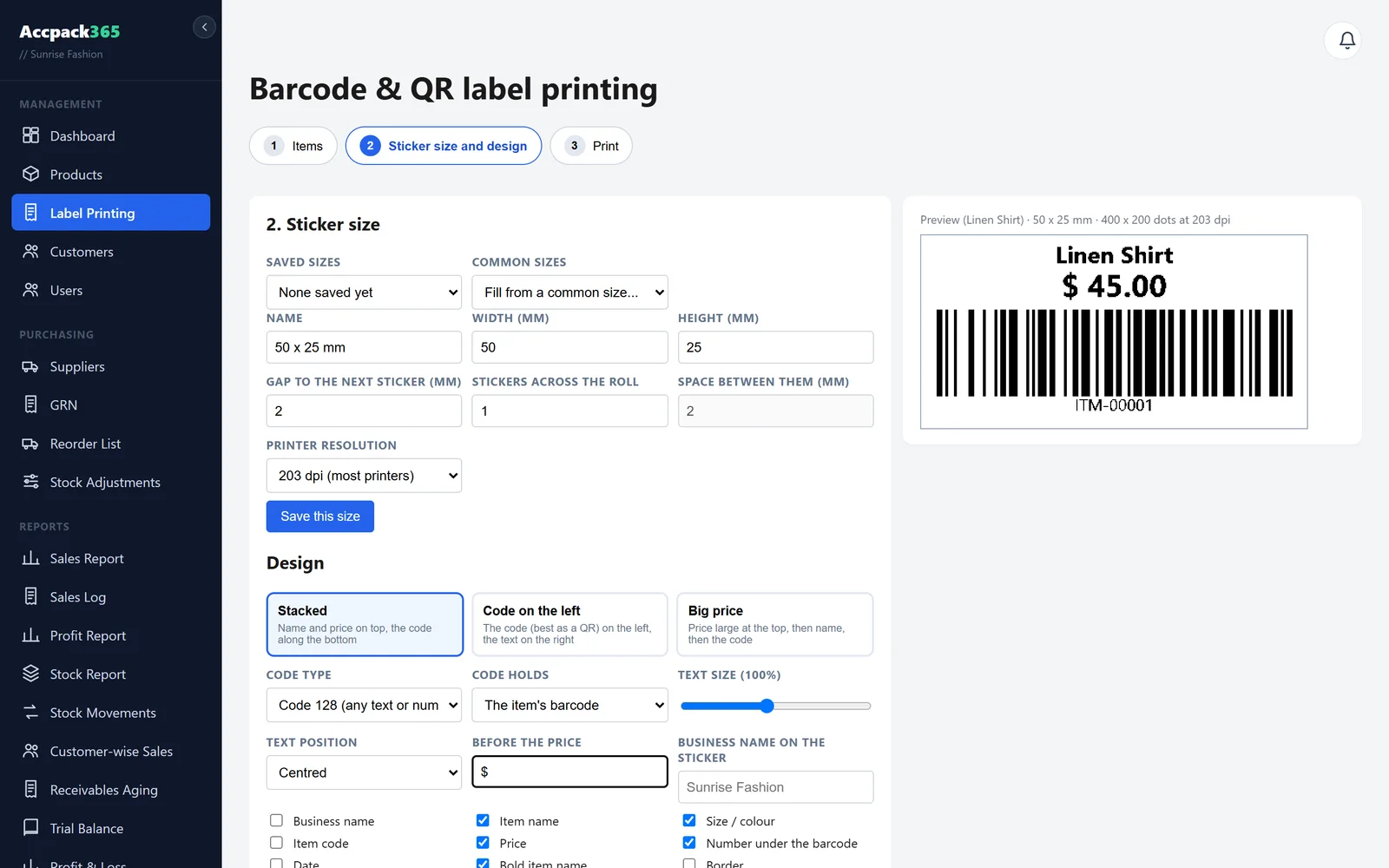
Barcode types
Code 128, EAN-13, Code 39 and QR codes with the fields you choose, such as name, price and code.
Zebra and Xprinter / TSC
Print through the print bridge to ZPL and TSPL printers, or use the Windows print dialog.
Your sticker sizes
Pick from common presets or save your own sizes, including rolls with two or three stickers across.
Print from stock
Choose items, tick a GRN to label what just arrived, and set the copies for each item.
Online orders and couriers
For stores that sell through a website or social media and ship cash on delivery.
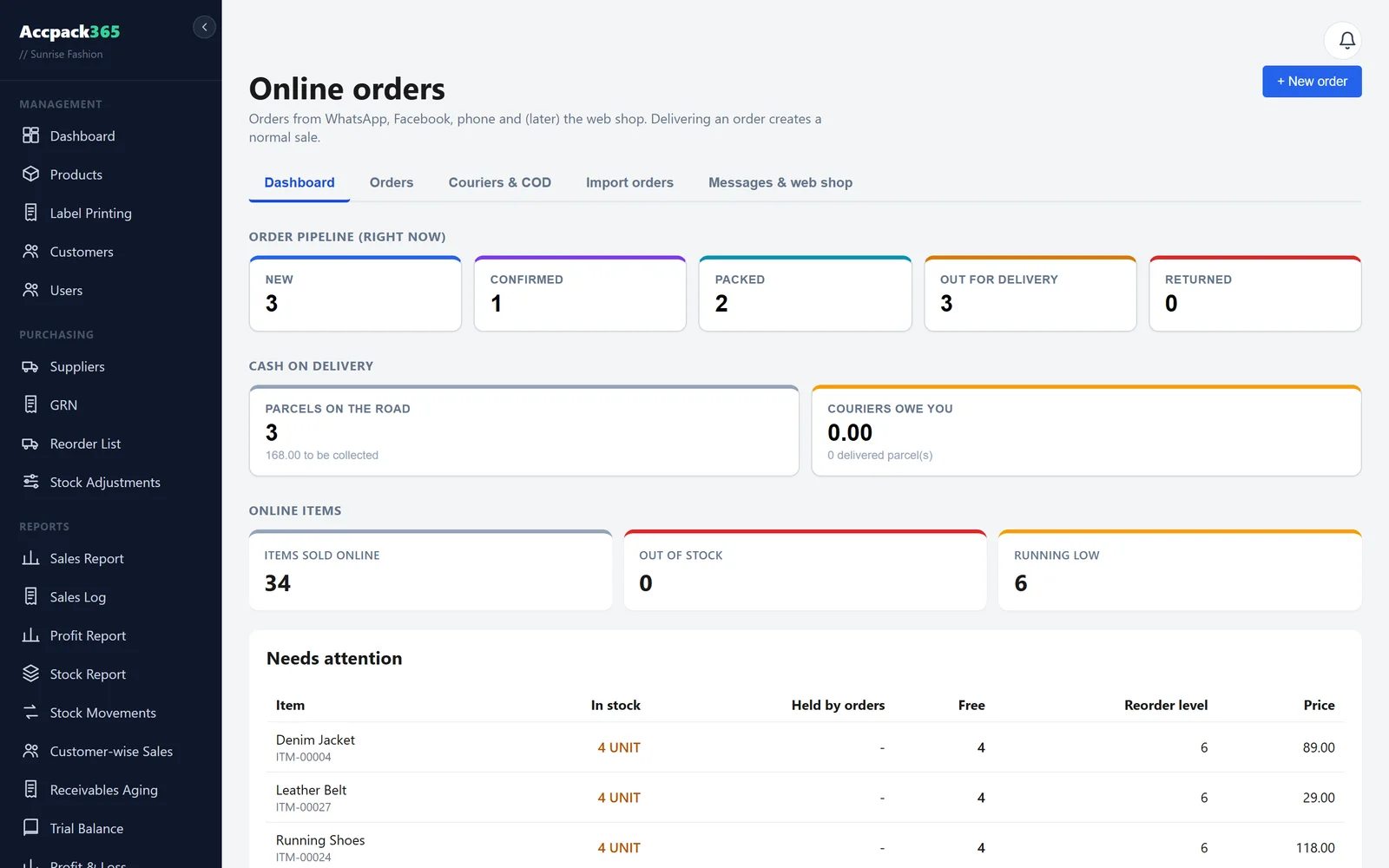
Order management
Bring in orders, confirm them and move them through packing to dispatch and delivery.
Stock reservation
Stock is held for confirmed orders so you never promise what you do not have.
Waybills and packing slips
Print waybills and packing slips on A4 or thermal paper, with your shop's phone number on them.
Courier COD tracking
Handover sheets and courier statements show what each courier has collected, their fees and what they owe you.
Repeat refuser alerts
See a customer's refused-delivery history by phone number before you ship again.
WhatsApp messages Add-on
Send order updates and PDF invoices from your own WhatsApp number.
Accounting and finance
Real double-entry accounts that post themselves as you trade.
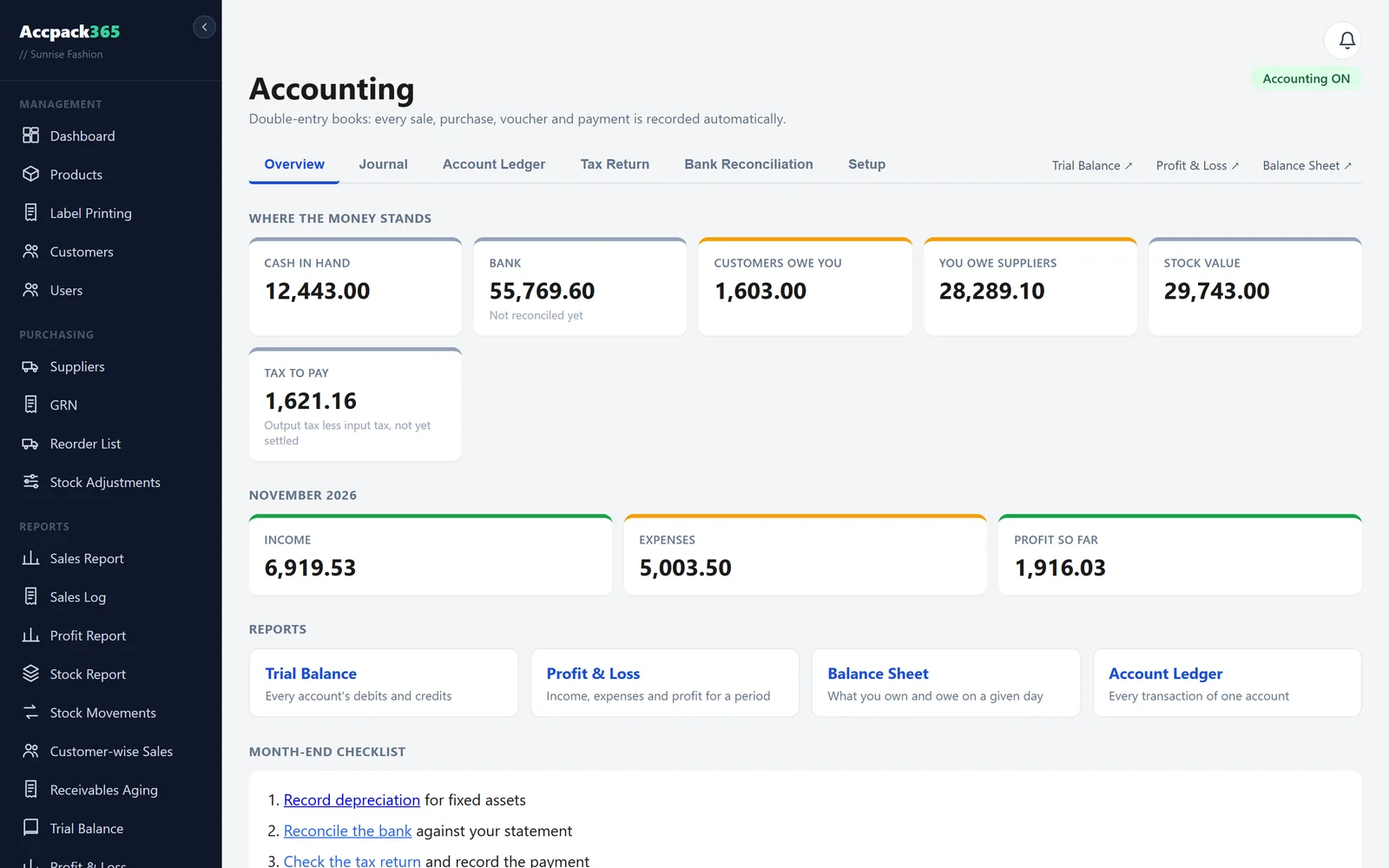
Chart of accounts
A standard chart to start with that you can extend, with automatic postings for sales, stock and payments.
Vouchers and journals
Record receipts, payments and manual journals when you need them.
Statements
Trial balance, profit and loss and balance sheet, ready whenever you ask.
Supplier accounts
See what you owe each supplier, record payments against GRNs and void mistakes.
Receivables ageing
Know which customers owe you and for how long.
Fixed assets
Track equipment and vehicles, including assets bought on credit.
Customers, reports and control
Understand your business and decide who can do what.
Customer accounts
Contacts, balances, credit sales and a sales history for each customer.
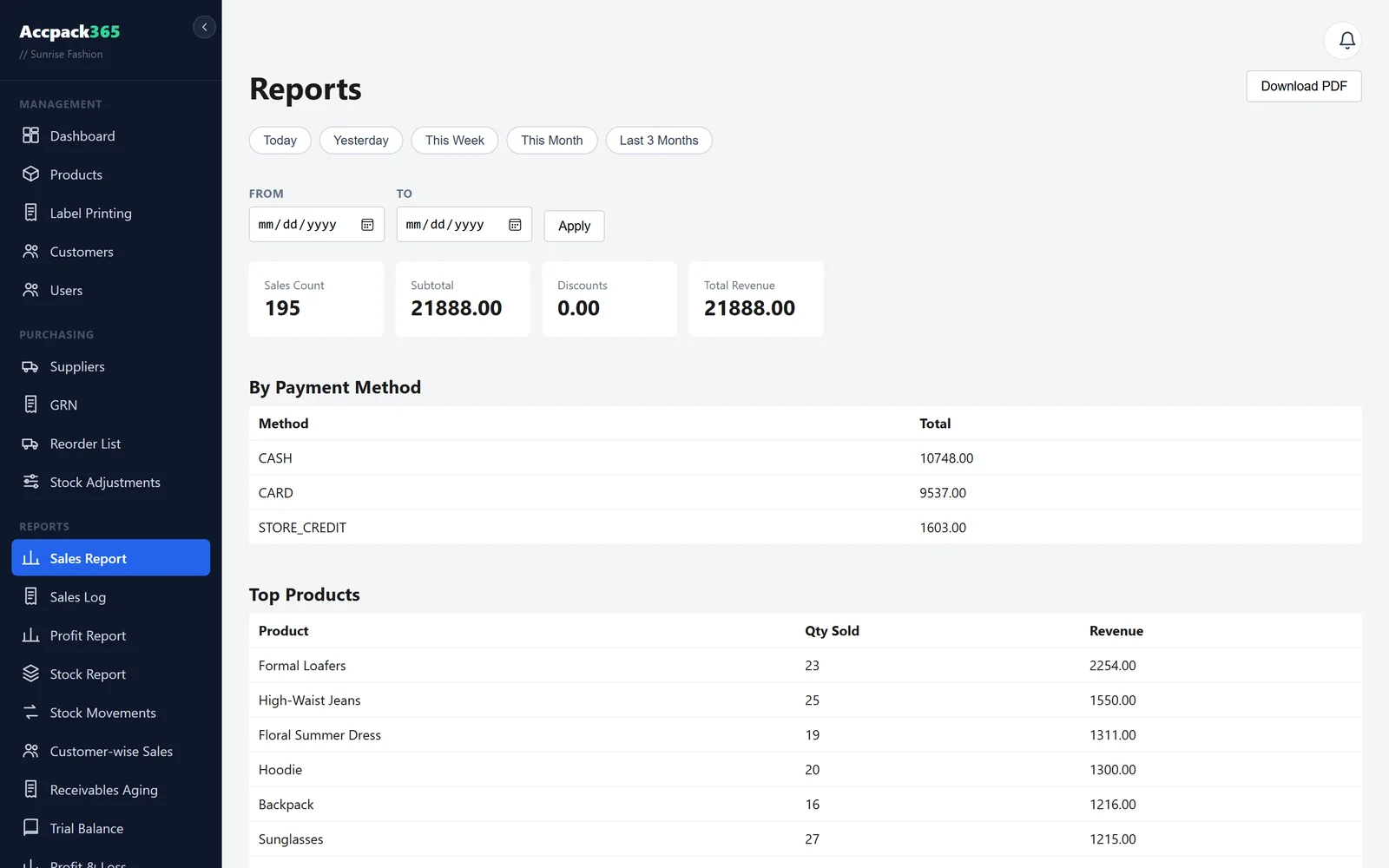
Sales and profit reports
Sales, sales log, item-wise and customer-wise sales, profit, stock and stock movement reports.
Users and roles
Admin, manager and cashier roles, and you choose which cashiers can open the back office.
Support portal
Send feature requests and issues to us from your own portal and follow their progress.
Cloud, any device
Nothing to host yourself. Open it from any computer, phone or tablet with a browser.
Your data, exportable
Export your whole database from Settings whenever you want a copy, and every stock change is recorded in a numbered journal.